Provider • Surveys
Standalone submenu content with role-aligned workflow and execution checkpoints.
Overview
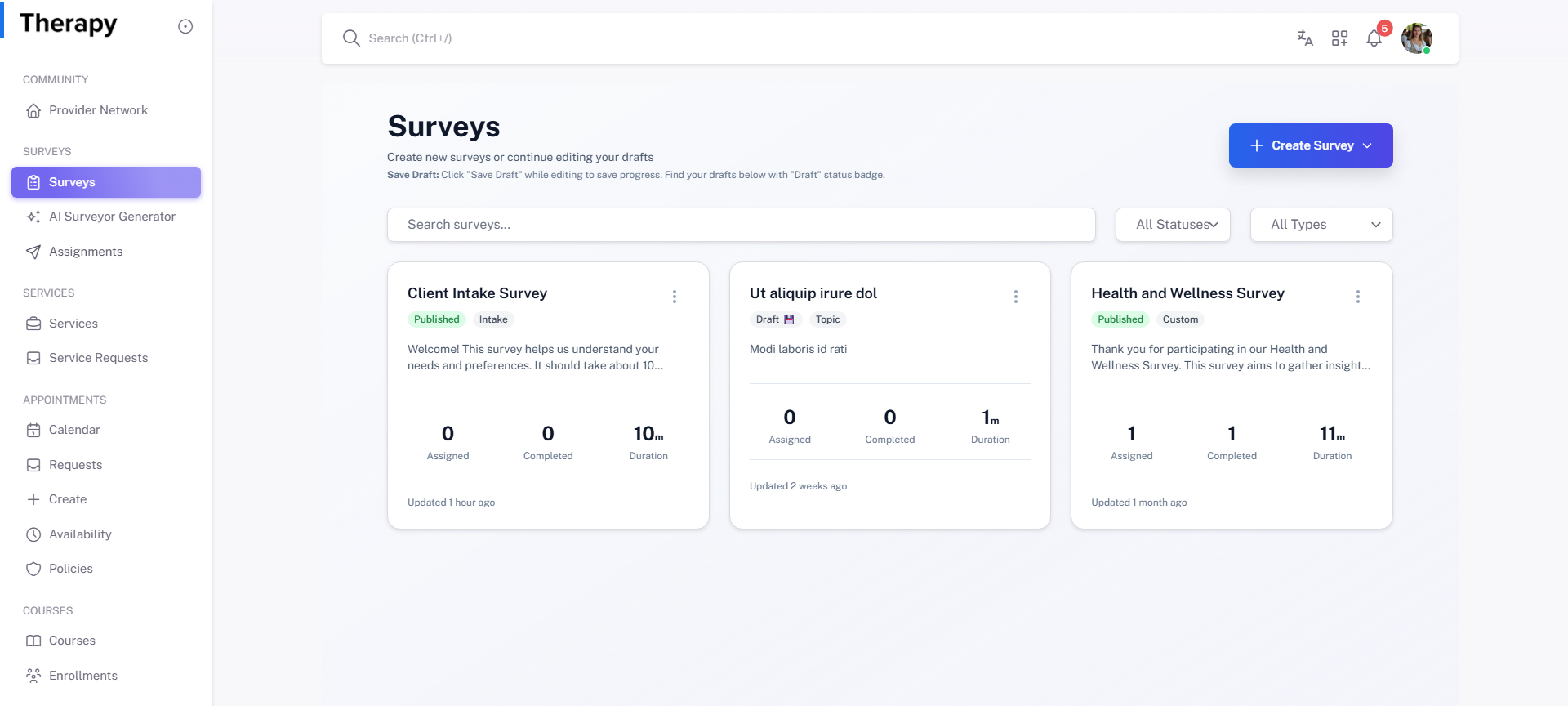
Surveys is the provider survey catalog for creating, editing, publishing, assigning, and monitoring survey assets. Use this page to keep active assessments current and discoverable.
Workflow Execution Steps
- Open surveys index and filter/search existing surveys.
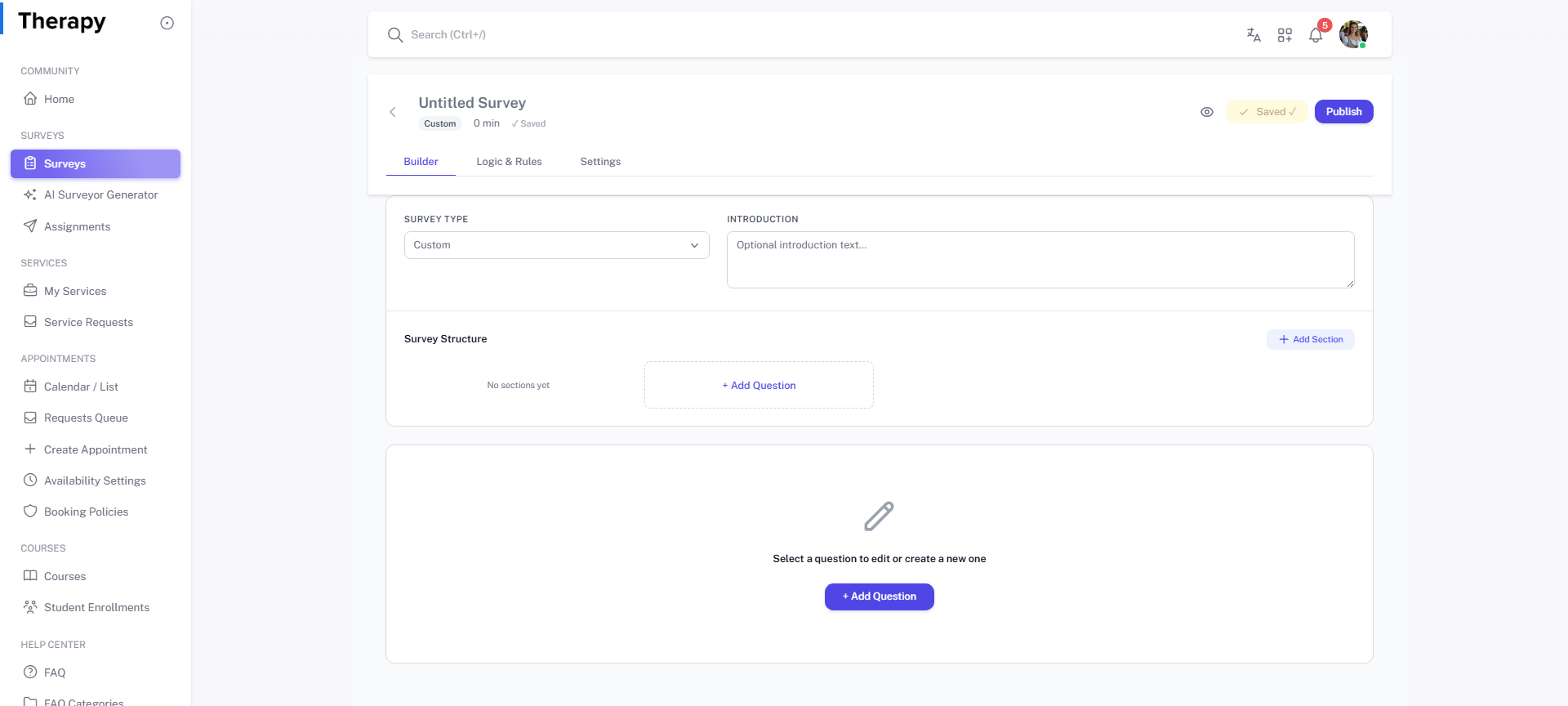
- Create or open survey builder for target survey.
- Save as draft, then publish only when validated.
- Assign and monitor responses for completion quality.
Reference Screenshots