Client • Browse Courses
Standalone submenu content with role-aligned workflow and execution checkpoints.
Overview
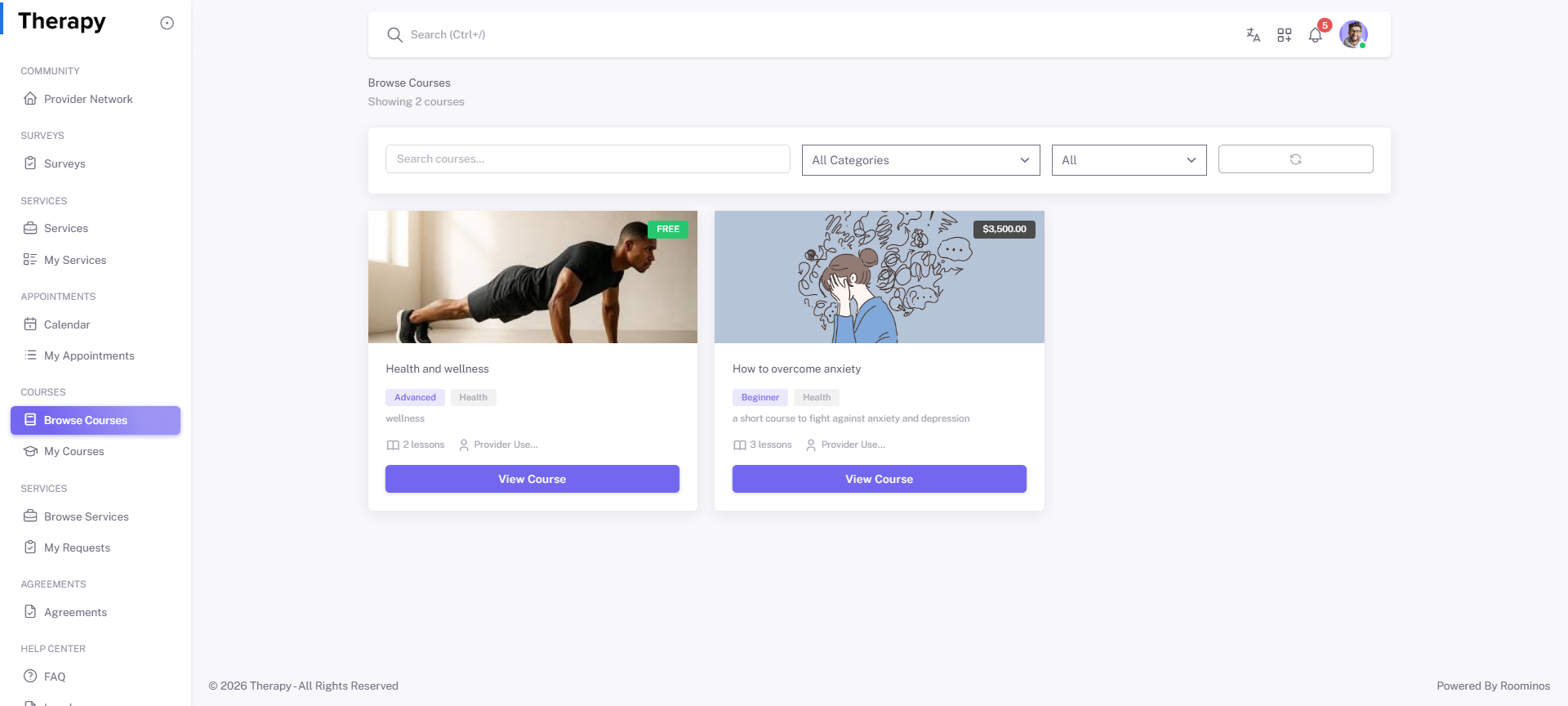
Browse Courses is the learning catalog where clients evaluate and enroll in courses. It should be used when learning goals or assigned pathways require new enrollment.
Workflow Execution Steps
- Open Browse Courses and filter/search relevant options.
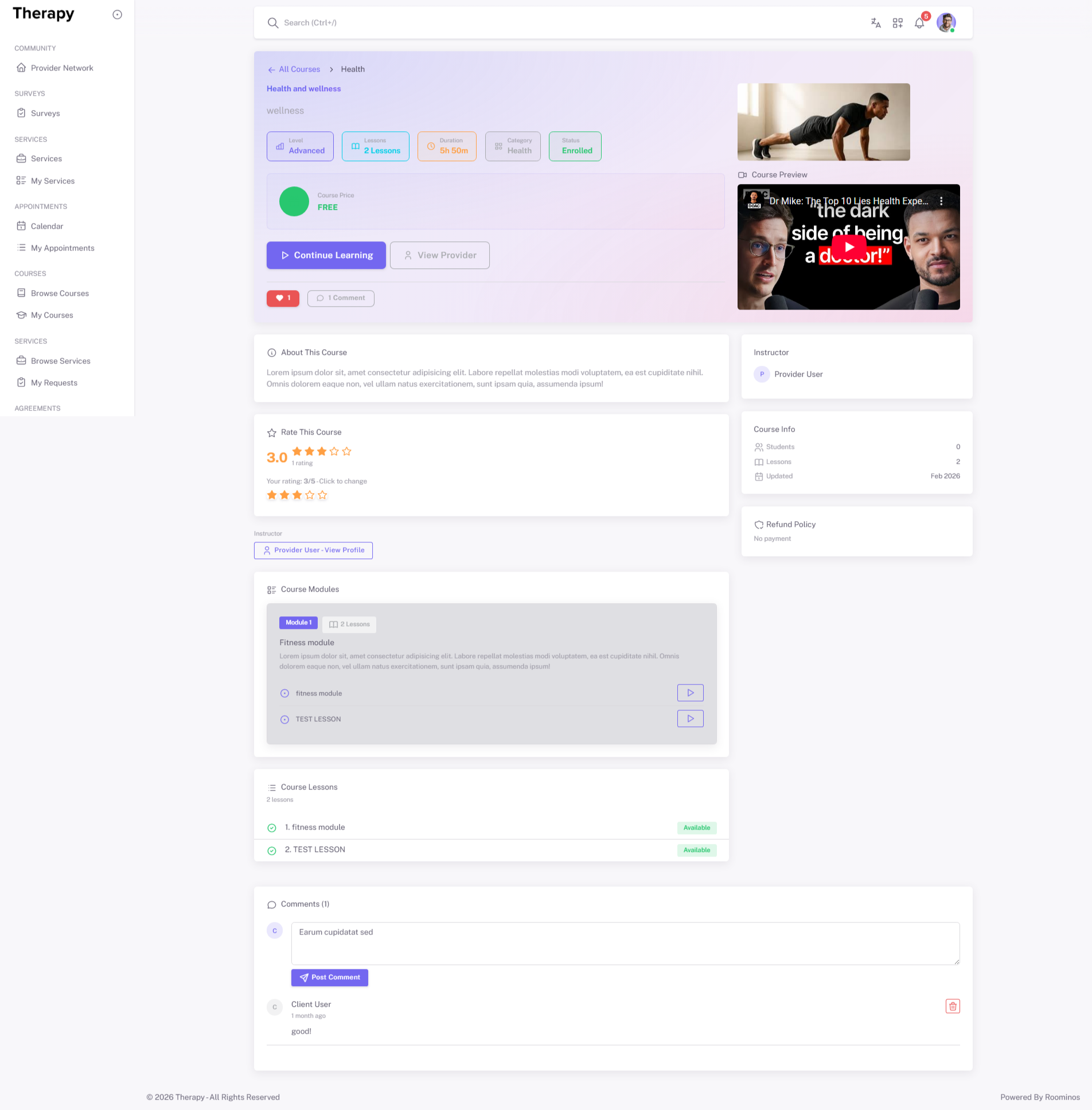
- Open course details and evaluate fit.
- Enroll or continue to payment for paid courses.
- Confirm enrollment success and route to My Courses.
Reference Screenshots